Setup Guide
From cameras to production intelligence
PalletVision works with cameras you already have or ones we provide. In four simple steps, your production floor goes from manual tallies to real-time AI-powered tracking.
Step 01
Set Up Cameras
Step 02
Configure Zones
Step 03
Connect ERP
Step 04
Monitor Production
Set Up Cameras
Use your existing cameras or get ours
PalletVision works with cameras already on your floor. If you need new ones, we offer ready-to-go camera + NVR kits sized for any operation.
Option A: Purchase a Camera Kit from PalletVision
Pre-configured camera + NVR bundles tested and optimized for pallet tracking. Just mount, connect, and start counting.
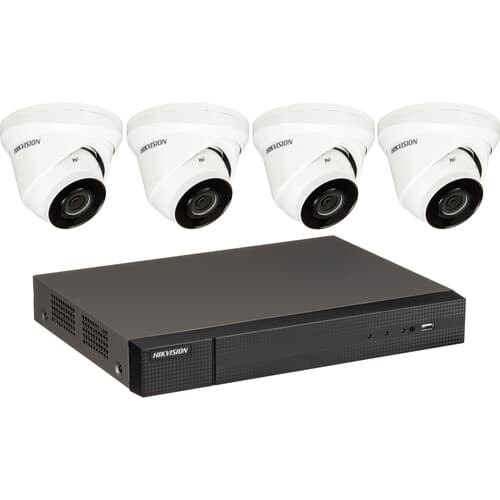
4 Camera + NVR
4 camerasIdeal for small operations or a single production line. Covers up to 4 stations with a compact NVR.
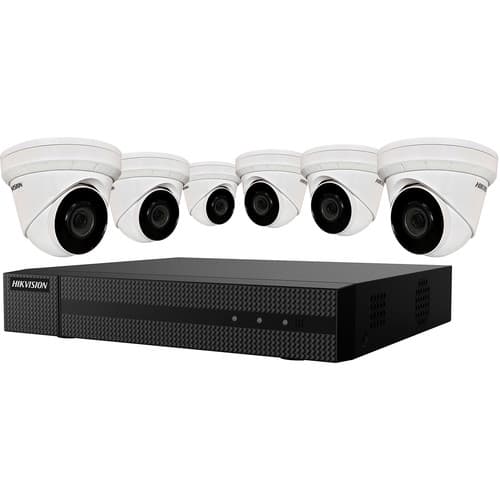
6 Camera + NVR
6 camerasGreat for mid-size operations covering multiple stations across repair, dismantling, or nailing lines.
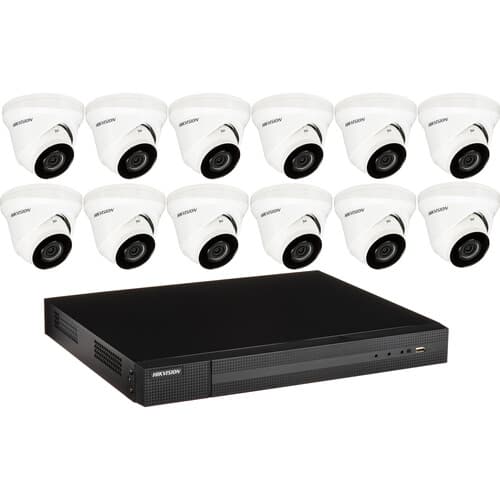
12 Camera + NVR
12 camerasFull-floor coverage for large facilities. Monitor every station, line, and zone across your entire operation.
Option B: Use Your Existing Cameras
If you already have cameras positioned correctly, PalletVision can use them. We support standard RTSP/IP camera streams in two orientations:
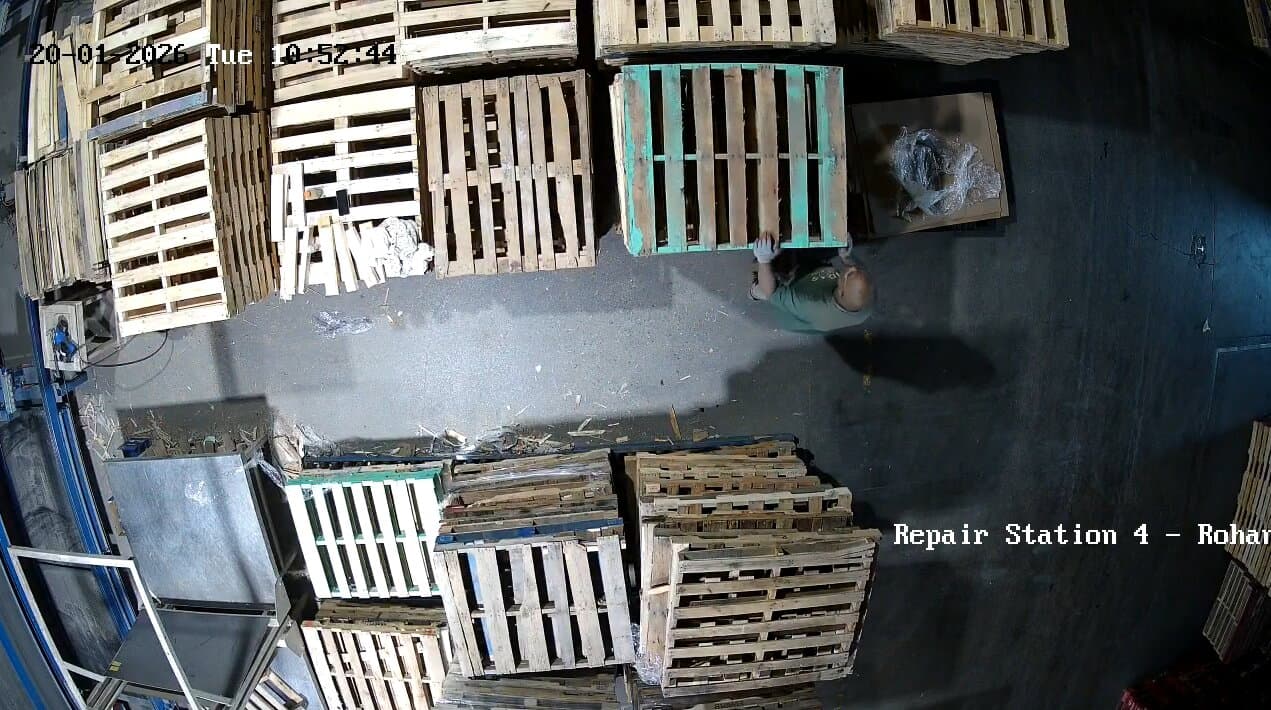
Top View
Camera mounted directly above the work area, looking straight down. Provides the clearest view of pallet counts and movements with minimal occlusion.
Camera Placement Tip
In both top-view and isometric setups, ensure there is sufficient buffer from each edge of the frame so the employee and process area are clearly visible. This ensures accurate AI detection and counting.
Configure Zones & Scenarios
Define your production zones
Once cameras are onboarded, configure each camera with zones and scenarios to run. Draw zone boundaries directly on the camera feed and assign AI scenarios like pallet counting, movement tracking, or activity detection.
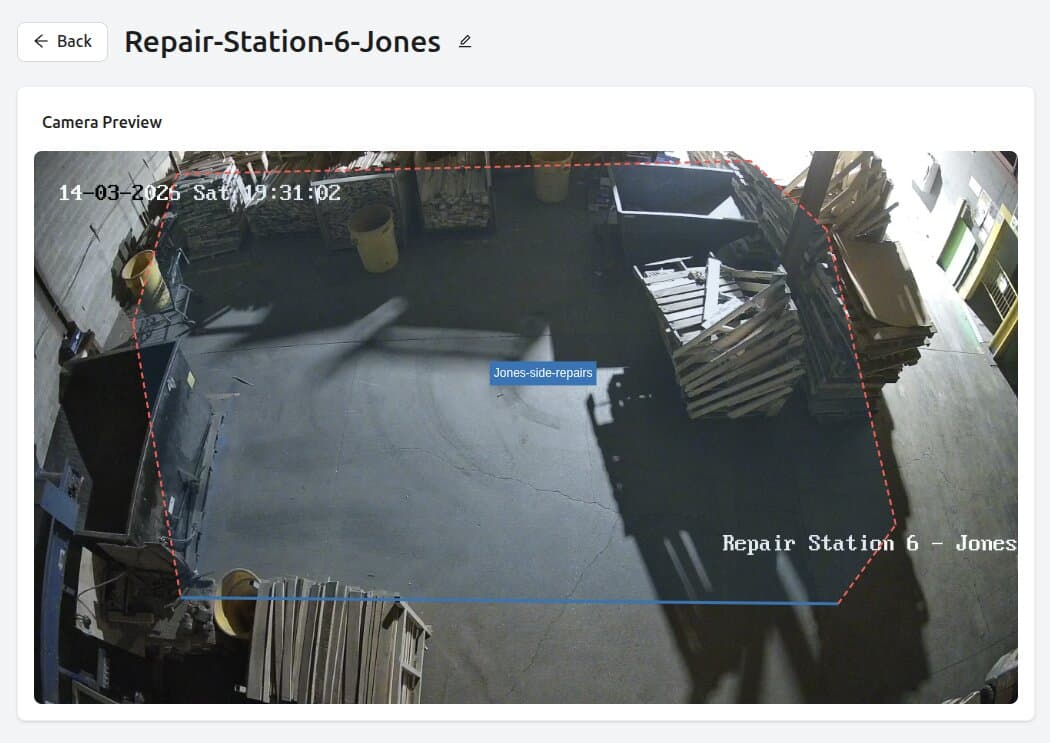
Draw Zone Boundaries
Define the exact area the AI should monitor using polygon zones drawn directly on the camera preview.
Set Counting Lines
Place counting lines where pallets cross to get accurate directional counts as items move through the station.
Assign AI Scenarios
Choose from built-in scenarios — pallet repair counting, dismantling detection, nailing machine tracking, trim saw counting, and more.
Name Stations & Zones
Give each zone a recognizable name so production data is organized by station, line, and operator.
Connect ERP
Feed data directly into PalletConnect ERP
Connect PalletVision with PalletConnect ERP so production counts sync automatically. No manual data entry, no export-import cycles — your ERP always has the latest numbers.



Monitor Production
Real-time dashboards on your production floor
Display daily production metrics on floor TV dashboards and overhead projectors at work areas. Your entire team sees live counts, zone performance, targets, and efficiency — no login required.
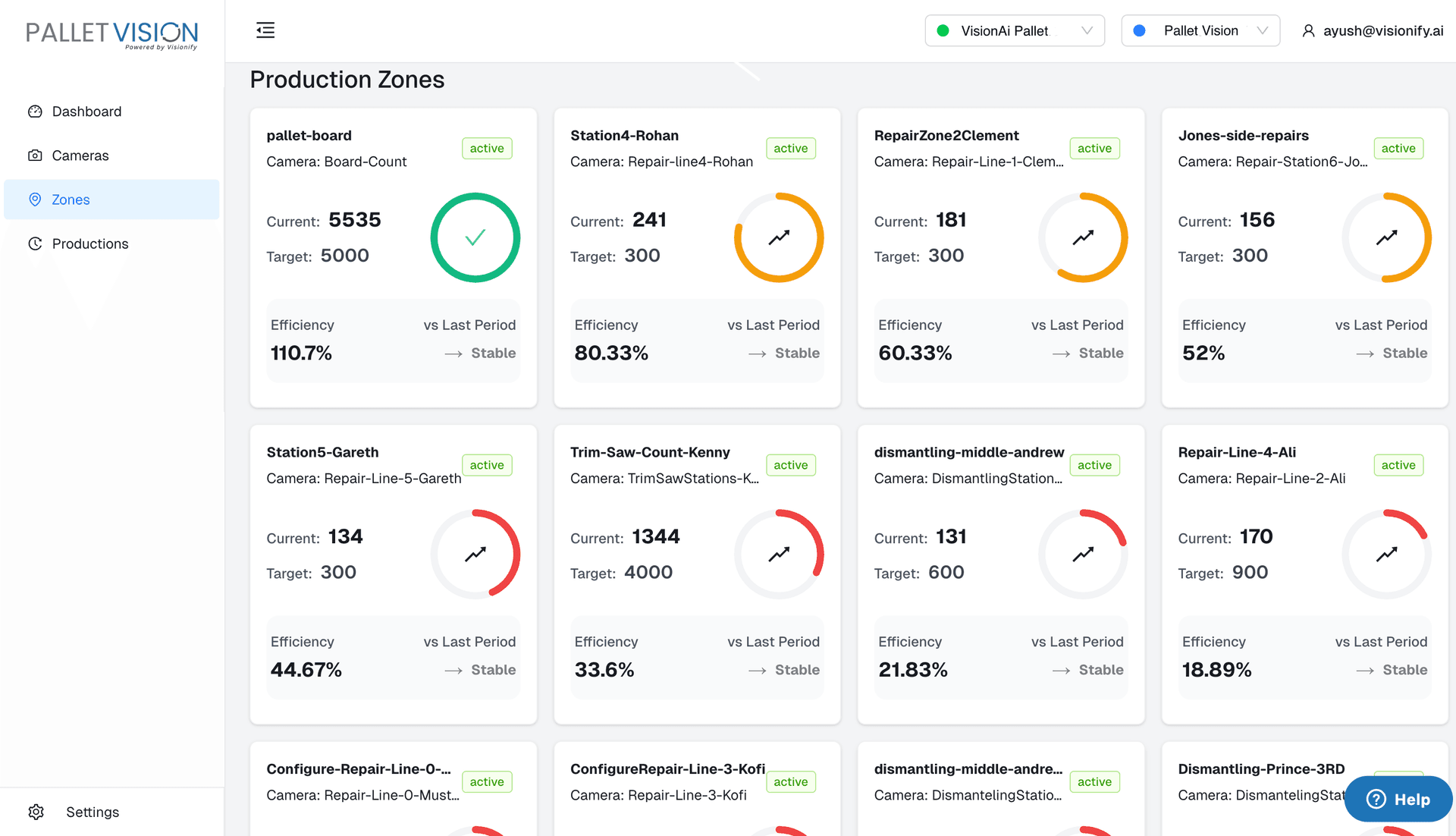
Live Zone Cards
Each production zone shows current count, target, efficiency percentage, and whether performance is improving or declining.
Shift-Aware Display
Dashboards automatically update per shift so day and evening crews see their own numbers.
Target Tracking
Color-coded gauges make it instantly clear which stations are on target and which need attention.
No Login Needed
Floor displays run in kiosk mode — mount a TV, point it at the dashboard URL, and you are done.
Ready to get started?
Whether you have cameras already or need a full kit, PalletVision gets your production floor tracked and connected in days. Talk to our team to find the right setup for your operation.